Requirements gathering interview: questions and template
A requirements gathering interview is a structured conversation with a stakeholder about how a process works today and what the new system must do. Use it when you need to learn how work really runs, especially from the people who do it, before you design or build anything. This page is a working kit: a prep checklist, a question bank, mistakes to avoid, and a notes template you can copy.
Before the interview
- Fix the scope. Name the one process you will cover and where it starts and ends. Write it at the top of your notes.
- Choose the right people. Interview the people who do the work each day, not only the managers who oversee it. Add owners of the systems involved.
- Collect existing documents. Forms, reports, screenshots, procedures and old diagrams. Read them first so you do not waste interview time on basics, and so you can spot where they disagree with what people say.
- Get consent to record. Ask before the session, say what the recording is for and who will see it, and accept a no. Prepare to take notes either way.
- Draft your questions, then cut them. Pick the questions from the bank below that fit the scope. A focused interview with a dozen well-chosen questions beats a long checklist read out in order.
- Book enough time. One process per session, with a few minutes at the end for questions you did not plan.
The question bank
Ask these in roughly this order, but follow the person's story when it jumps ahead. Open questions get stories; closed questions get one-word answers. Ask for real examples, not opinions.
A. The process today
- What starts this process? Who or what triggers it?
- Walk me through it from the trigger to the end, step by step.
- Which steps always happen in the same order, and which vary?
- Where does work get handed from one person or team to another?
- How do you know the process is finished? What is the last thing that happens?
- Who receives the result, and what do they do with it?
B. Roles and ownership
- Who performs each step? Is it always the same person?
- Who decides when a case is approved, rejected or escalated?
- Who owns the process overall, and who owns each system it uses?
- Who covers when you are away?
- Who is affected by the outcome but is not involved in the work?
- Which steps depend on a person rather than on a rule written down anywhere?
C. Data and documents
- What information do you enter or receive at each step?
- Where is it stored: which system, spreadsheet, email folder or paper file?
- Which documents or forms are used, and who creates them?
- Is the same data typed in more than one place?
- Which fields are always required, and which are often empty or wrong?
- What is the unique identifier for a case, customer or order, and how do you look one up?
D. Exceptions and workarounds
- What happens when information is missing or wrong?
- What do you do when the system is down or too slow?
- What happens when a customer or colleague changes their mind halfway?
- Which steps do you skip, shorten or do outside the official tool?
- Which rules have exceptions that only experienced people know?
- What happens to cases that do not fit the normal path?
E. Problems, delays and volumes
- Where do cases wait the longest, and what are they waiting for?
- What work gets redone, and why?
- How many cases do you handle per day, week or month? Is that steady or does it peak?
- How long does a typical case take, and how long does the slowest one take?
- Can you show me the last case that went wrong?
- What do you wish you did not have to do by hand?
F. Closing the interview
- What did I not ask that I should have?
- Who else should I talk to, especially someone who does this work every day?
- Can I see an example: a real form, report, screen or file?
- Which part of what you told me would you want to double-check?
- May I come back with a draft of the process and ask you to correct it?
Good follow-up probes
- “Walk me through the last time that happened.” A real case beats a general description.
- “What happened next?” Keeps the sequence going when someone jumps ahead.
- “Can you show me?” Screens, files and forms reveal steps people forget to mention.
- “How often does that happen?” Separates the common path from the rare exception.
Mistakes to avoid
- Leading questions. “Don't you think an approval step would help?” puts your answer in their mouth. Ask “What happens after the request comes in?”
- Asking for solutions too early. First understand the current process and its problems. Ideas for the future system come after, and they should be labelled as ideas.
- Interviewing only managers. Managers describe the process as designed. The people doing the work describe the process as it runs, including the workarounds.
- Mixing your assumptions into the notes. Write what was said in the interviewee's words. Mark your own interpretation separately.
- Not recording open questions. If something is unclear, contradicted or missing, write it down as an open question. Do not fill it in from your own experience.
After the interview
Turn the notes into models within a day or two, while the conversation is fresh. For every element, keep a pointer to what the interviewee said, so anyone can check where it came from. If you cannot point to a statement, a document or an observed example, it is an assumption, and it belongs on the open questions list rather than on the diagram.
- Current-state (As-Is) process map. A swimlane diagram with one lane per role: trigger, steps, decisions, hand-offs, end.
- Data flow diagram. What data moves between steps, people and systems, and where it is stored.
- Entity list or ERD. The things the process handles (customer, order, document) with their key attributes and how they relate.
- Open questions and gaps. Everything unconfirmed or contradicted, each with a name against it for follow-up.
- Confirmation. Show the draft to the interviewee and ask them to correct it. Only then treat it as agreed.
Notes template
Copy this into your notes tool and fill it in during the interview. To turn the findings into a written document, use our business requirements document template.
- Interviewee / role / date:
- Process name:
- Trigger (what starts it):
- Steps (number each)
- # Who | What they do | System or document | Data in / out
- 1.
- 2.
- Exceptions (what happens when...):
- Problems, with a real example each:
- (delay / rework / error / volume)
- Open questions (not confirmed yet):
- Quotes to verify (exact words, to check with the interviewee):
- Documents or screens received:
Drawing the result
After the interview, draw what you heard. Use the free swimlane diagram maker for the as-is process with one lane per role, a data flow diagram for what moves between steps, and an ER diagram for the things the process handles. Everything runs in your browser; nothing is uploaded.
The approved requirements are the input for the next stage: turn them into a business requirements document, or into a spec for a coding agent as described in our guide to spec-driven development.
Example: filled-in interview notes
A short sample filled in using the template above for a customer refund process (illustration, not a real case):
- Interviewee / role / date: Support Lead, 14 Nov 2026.
- Process name: Order refund over 50 EUR.
- Trigger: Customer replies to the order email asking for a refund.
- Steps: 1. Support agent checks order age in admin tool (Order ID, amount). 2. If over 50 EUR, agent sends a chat message to Team Lead for approval. 3. Team Lead approves or asks for photos; agent issues refund in payment portal.
- Exceptions: When the Team Lead is off shift, urgent cases wait until the next morning or get escalated to Operations.
- Open question: Is there a written threshold for when photos are required, or is it judgement-based? Owner: Support Lead.
- Quote to verify: “Nobody uses the old refund form anymore; we just paste the Order ID in team chat.”
We tested it (2026-11-14)
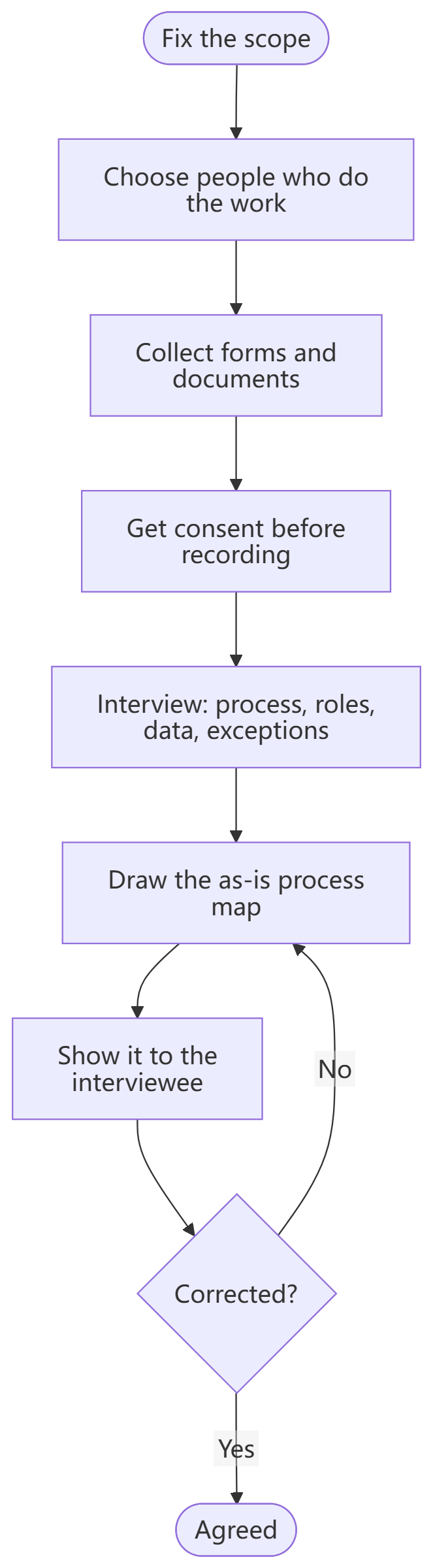
On 2026-11-14 we opened this page on a desktop browser, kept the top-down interview flowchart (`flowchart TD`) and changed the consent step from Get consent to record to Get consent before recording. The preview updated in place and Download PNG saved requirements-gathering-interview.png (663 × 2400 px, 161 KB) with all nine nodes and the Corrected? loop.
Our read: a top-down `flowchart TD` layout reads cleanly step by step without squishing text. One limit: a 9-step vertical chain exports as a tall portrait PNG (663 × 2400 px, capped at 2400 px on the longest side), which works well on phones and in long docs but needs splitting if you drop it into a wide 16:9 slide.
On a phone
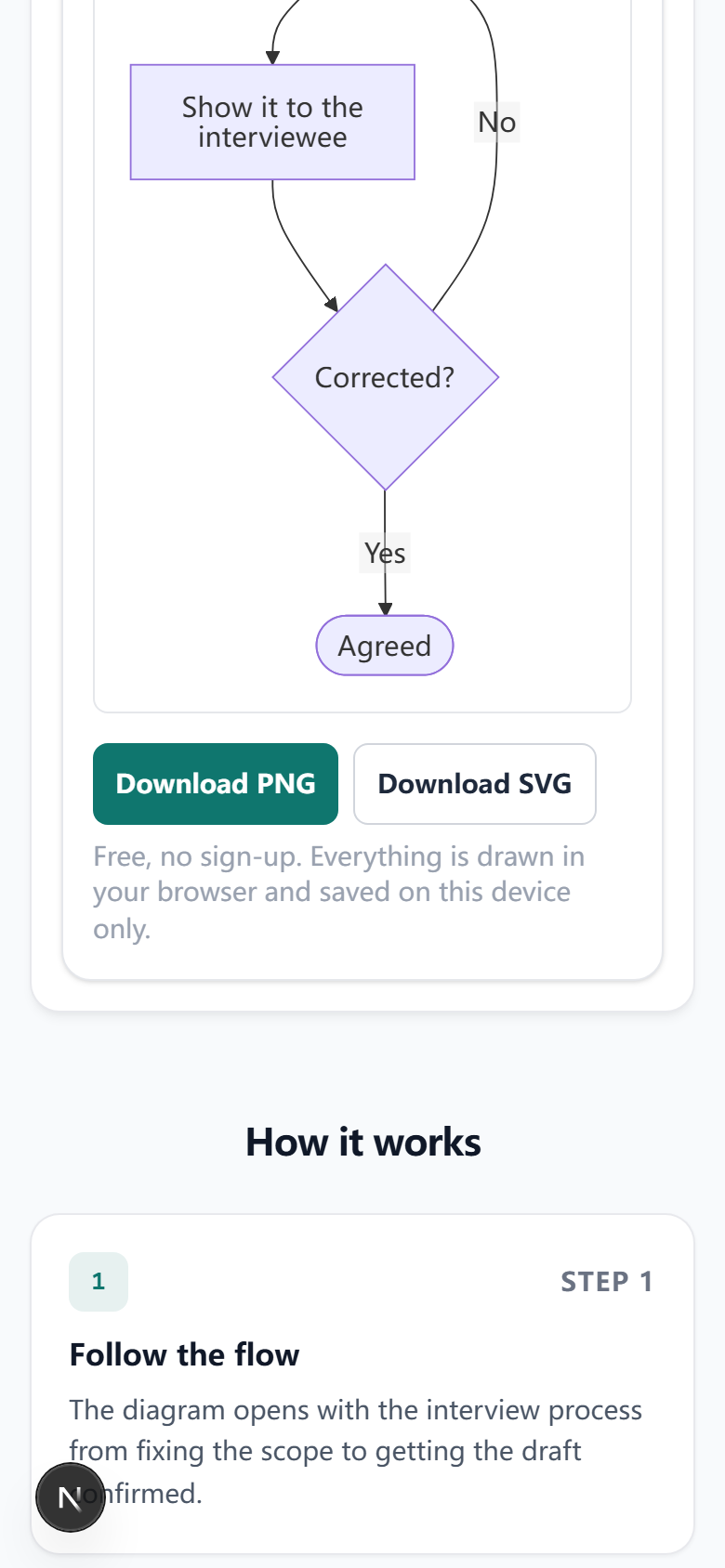
The same day at 390 px phone width: the page fits without sideways scrolling (scrollWidth 390 px), and the top-down flowchart preview plus Download PNG / Download SVG buttons sit cleanly in view. Because `flowchart TD` stacks vertically, node labels stay readable on a narrow phone screen.
Frequently asked questions
- How long should a requirements gathering interview be?
- Plan 45 to 60 minutes per interview and one process per session. Longer sessions tire both sides and the answers get vaguer. If a process has many branches, book a second session instead of rushing the exceptions.
- How many stakeholders should I interview?
- Enough to cover every role that touches the process, plus at least one person who actually does the work for each step. Keep going until new interviews stop changing the process map. Two people often describe the same step differently; that difference is a finding, not noise.
- Interview or workshop: which is better for requirements gathering?
- Use interviews to learn how the work really runs, because people speak more openly one to one and you can follow their examples. Use a workshop afterwards to resolve conflicts between interviews and to confirm the combined picture. They work best together.
- Should I record the requirements gathering interview?
- A recording keeps the exact wording and lets you listen instead of typing, but only record with the interviewee's explicit consent, obtained before you start. Tell them what the recording is for and who will see it, and stop if they decline. Take brief notes either way.
Last updated: 2026-11-14