What is spec-driven development?
Spec-driven development is a way of building software with AI coding agents in which a written specification, not the chat history, is the source of truth. You describe what the software must do and why, the agent turns that into a plan and a task list, and the code is built and checked against the spec.
Why it exists
Coding agents are fast at writing code and weak at knowing what you meant. When requirements live only in a series of prompts, the agent fills gaps with guesses, earlier decisions get lost between sessions, and nobody can review what was agreed. A spec fixes the intent in one reviewable document that both people and agents read.
The steps
- Specify. Write what the software must do: users, goals, requirements and acceptance criteria. No technology choices yet.
- Plan. Add the technical plan: architecture, data model, interfaces and constraints.
- Break down. Split the plan into small tasks that can each be built and tested on their own.
- Implement and check. The agent works through the tasks; each result is checked against the acceptance criteria. When something changes, update the spec first, then the code.
What a good spec contains
- The process as it really runs today: who does what, in which order, with which data.
- Requirements written so they can be tested, each with an ID.
- The entities and the data that moves between steps.
- Open questions, listed explicitly instead of left for the agent to guess.
- Where each requirement came from, so a reviewer can check it.
The hard part: the requirements
The spec is only as good as what went into it. Most of the effort sits before the first line of the spec: interviewing the people who run the process, finding the exceptions and workarounds, and agreeing on what is actually true. A tidy spec built on a misunderstood process produces tidy, wrong software.
The step before the spec is to get the current process on paper. Use the requirements gathering interview kit to ask the right questions, draw the result as a process flow diagram or swimlane diagram with the tool above, and check it with the people who do the work. Then write the requirements with the business requirements document template, and let each requirement point back to the person or document it came from.
Example: spec file for a CSV export button
A short spec written in the four-step structure (illustration, not a real case):
- Specify. Goal: let an ops manager export filtered order rows to CSV without timing out. REQ-01: clicking Export downloads UTF-8 CSV with columns ID, Date, Status, Total. REQ-02: exports over 5,000 rows show a count warning first (source: ops lead interview).
- Plan. Client-side Blob generation for <=5,000 rows; no server endpoint.
- Tasks. T-1: filter state serializer; T-2: CSV escaping for commas and quotes; T-3: 5,000-row guard and unit tests.
- Open questions. Should cancelled orders be included by default? Owner: ops lead. Due: before T-1.
We tested it (2026-11-14)

On 2026-11-14 we opened this page on a desktop browser, kept the Spec-driven development flowchart preset and changed the loop-back step from Update the spec first to Update spec & log reason. The preview redrew as soon as we typed, and Download PNG saved spec-driven-development.png (2400 × 418 px, 86 KB) with the updated box, the diamond decision and both Yes and No arrows intact.
Our read: horizontal left-to-right flowcharts (`flowchart LR`) map well to a spec loop on desktop and in docs. Two limits: a wide 7-node `flowchart LR` exports as a wide, short strip (2400 × 418 px), so text becomes small if shrunk into a narrow column; and if you want a taller layout for mobile reading, change the first line from `flowchart LR` to `flowchart TD`.
On a phone
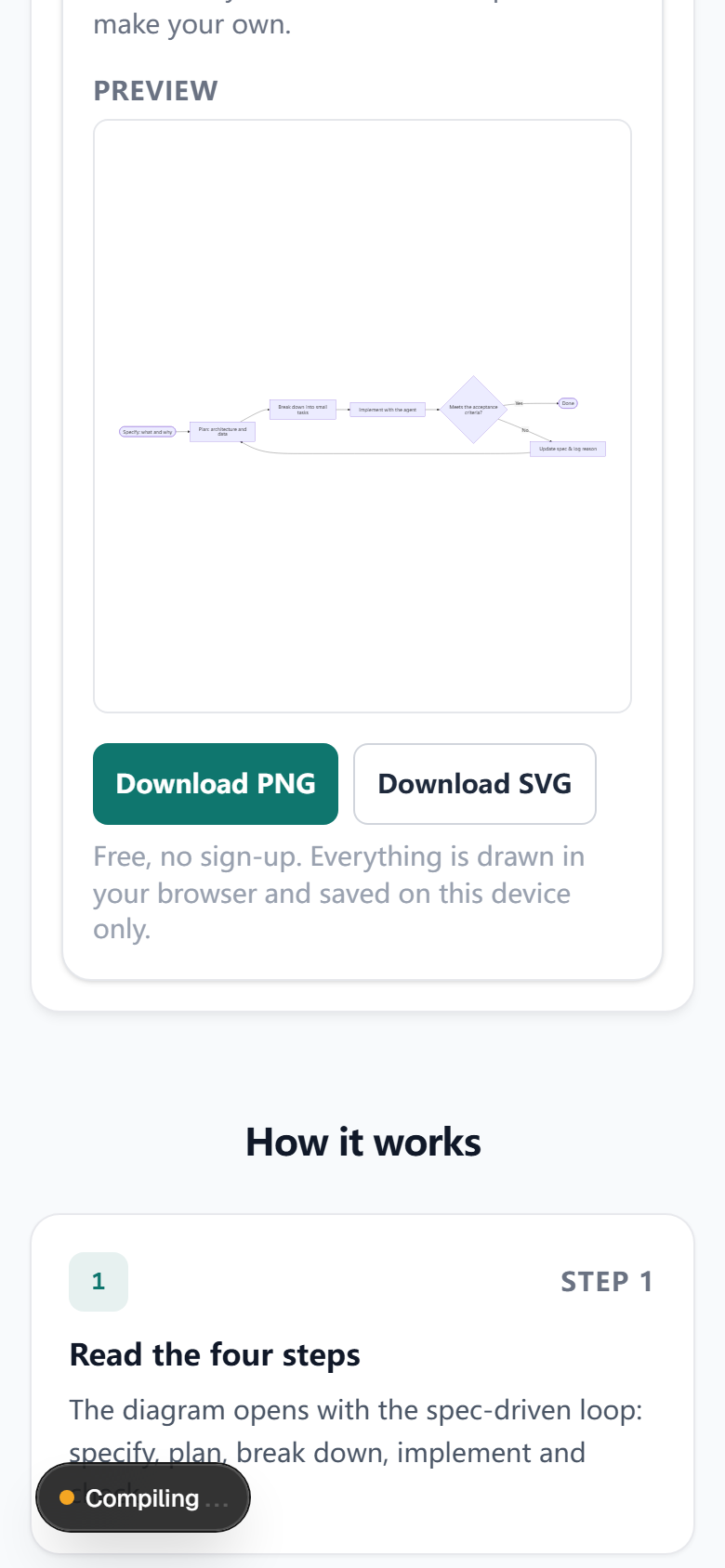
The same day at 390 px phone width: the page fits without sideways scrolling (scrollWidth 390 px), the editable Mermaid text appears above the preview, and Download PNG / Download SVG sit directly below the box. Because `flowchart LR` spreads nodes horizontally, the preview scales down to fit the 390 px frame; downloading the PNG or switching the first line to `flowchart TD` makes node labels easier to read on a phone.
Frequently asked questions
- Is spec-driven development the same as writing a PRD?
- Not quite. A PRD explains what to build and why, mainly for people. A spec in spec-driven development is written so that a coding agent can act on it: precise requirements, acceptance criteria, a technical plan and a task list, kept in the repository and updated as the project changes.
- Do I need special tools for spec-driven development?
- No. A Markdown file in the repository is enough to start. Tools such as GitHub's open-source Spec Kit or the spec mode in Amazon's Kiro editor add templates and commands for the spec, plan and task steps, but the method works with any coding agent.
- Where do the requirements in the spec come from?
- From the people who run the process today: stakeholder interviews, workshops and existing documents. That is the step most teams rush. Draw what you learn as a process map, check it with the interviewee, and keep a pointer from each requirement to what was said, so a reviewer can trace it.
- What should a spec leave open?
- Anything nobody has confirmed. Mark it as an open question instead of letting the agent guess. A coding agent fills gaps confidently, so an unmarked gap tends to become a wrong feature.
Last updated: 2026-11-14